Windows 11 August 2026 Update Released: What's New?
Technology leader Microsoft Tuesday August 11, 2026 released online Windows 11 August 11, 2026 update which adds a number of new features, interface changes and improvements to the popular operating system (OS).
Technology leader Microsoft Tuesday August 11, 2026 released online Windows 11 August 11, 2026 update which adds a number of new features, interface changes and improvements to the popular operating system (OS).
Microsoft releases monthly updates and patches to improve and upgrade the latest version of Windows 11, and fixes for known issues.
The August 2026 mandatory update, KB5121003, is for Windows 11 versions 25H2 and 24H2, raising both to OS builds 26200.9168 and 26100.9168, respectively.
Simultaneously, Microsoft has also released KB5120240 update for Windows 11 version 23H2.
“These updates patch close to 400 total vulnerabilities across Microsoft products, including critical zero-days exploited in the wild”, Microsoft said.
Windows 11 users should note that many of the new features in the latest update use Microsoft’s Controlled Feature Rollout System, meaning they are not likely to be available for download on every PC immediately.
The new features and enhancement that the users will be able to use after the latest Windows 11 update are listed and explained below.
Uninstall AI Models from Copilot+ PCs
One of the biggest complaints about Windows 11 has been the integration of AI features.
While supported devices still don't have a master switch to completely disable AI on Windows 11, with the new update, users can now uninstall the Image Generation AI model from Settings > System > AI Components.
Windows Hello support
With the August 2026 update, Microsoft has introduced Windows Hello Enhanced Sign-in Security (ESS) support for external fingerprint sensors.
In short, standard Windows Hello encrypts the sign-in data. However, enhanced security support takes it a step further by isolating the biometric process into a secure memory space, away from the operating system. The option is available through Settings > Accounts > Sign in options.
This feature was earlier only available for devices with built-in sensors, such as Copilot+ PCs, but now, it'll be available for external peripherals.
File Explorer Gets Better
After installing the Windows 11 August 2026 updates, users will notice File Explorer displaying file sizes using more appropriate units such as KB, MB, and GB instead of everything in kilobytes.
It's now possible to use the middle-click to open a folder in a new tab from the address bar and Home page.
Enhancement in Windows Search
With the new updates, Microsoft has improved Windows Search to better handle typos, and allow users to start searches with two-character queries.
When searching for apps, Windows Search improves recognition of partial names and typos.
Furthermore, the search rank in the Settings app has been updated to show more relevant options higher.
New Touchpad and Voice Features
Precision touchpad users are getting controls for scroll and zoom speed, along with accelerated scrolling that increases speed as a gesture is repeated.
Voice Access now includes Voice Isolation, which can filter out background noise and other speakers. Users can choose between Voice Isolation, background-noise removal, and unfiltered microphone input.
Microsoft has also turned Fluid Dictation off by default for new Voice Typing users and added guidance explaining the feature.
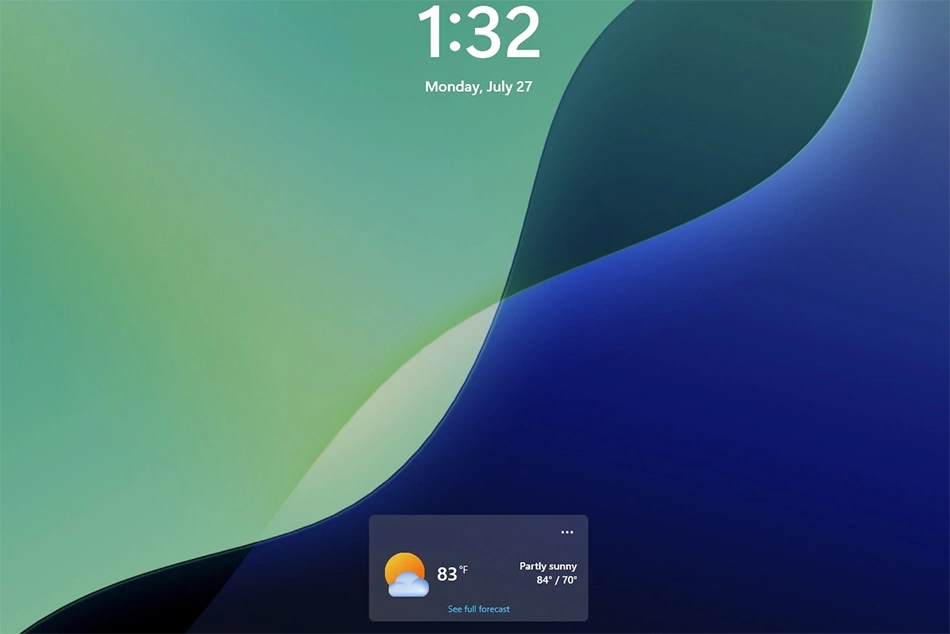
In the Lock screen, the experience should now be less distracting, as now, by default, users will only see the Weather widget.
Voice Typing and Access
In Voice Typing, Microsoft is now deactivating Fluid Dictation by default and integrating tooltips to help users understand how the feature works.
Voice Access now comes with Voice Isolation that improves speech recognition by filtering out background noise and other speakers.
Furthermore, Microsoft is making available three speech recognition settings from Settings > Voice Access > Improve speech recognition.
The "Voice Isolation" option requires a one-time voice setup and filters both background noise and nearby conversations.
Users will also find the "Remove background noise only" mode suppresses sounds such as typing or doors closing without additional setup.
Finally, the "No filtering" mode uses the microphone input without any processing.
Meanwhile, Microsoft said Windows 11 version 24H2 Home and Pro editions will reach end of updates on October 13, 2026.
"Devices running these editions will no longer receive fixes for known issues, time zone updates, technical support, or monthly security and preview updates containing protections from the latest security threats", Microsoft said.
The company further said that Windows 11 Enterprise and Education editions remain supported until October 12, 2027.
[With inputs from Windows Central]
Follow ummid.com WhatsApp Channel for all the latest updates.
Select Language to Translate in Urdu, Hindi, Marathi or Arabic